Tag

Radio

4 posts

Last updated: (3094 days ago)

Search tracks, listen to results

Features & How-To

Hello!

Today a new feature appears on the site, tracks search.

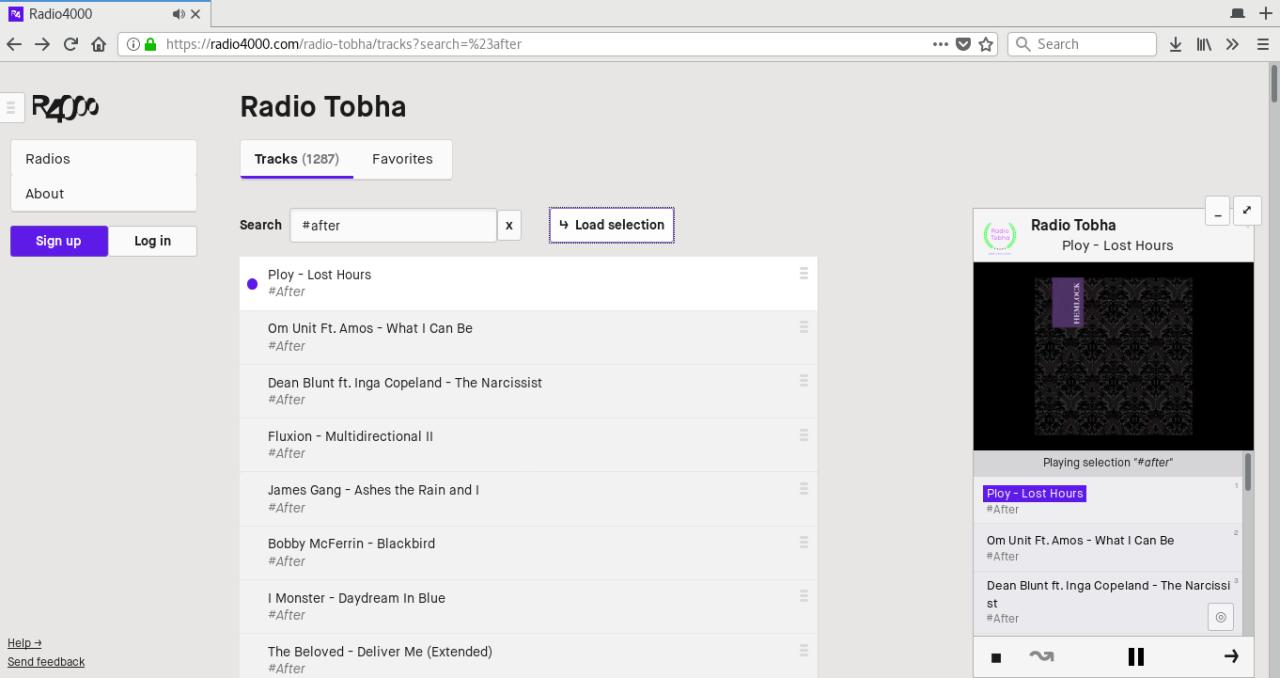
On top of now being able to search any radio tracks, and find the one you want to play, you can from today listen to a selection of tracks from a radio.\

Fig 1. playing selection “#after” from Radio Tobha
That’s right, you can try it now, go to any radio (of course, yours too!), and explore the list of tracks. Just search for something, and if there are any results press the “load selection” button to listen to everything in the player.

Embed a Radio4000 with an Iframe, on any website

Features & How-To

From today you can embed your Radio4000 onto any other webpage. Meet RADIO ARKOV.

How to use?

You need to add to your site the following snippet of code. You will find the right code to be copied at the bottom of every Radio4000 radio page.

You can customize the values in pixels of `width` and `height` of this `iframe` HTML element to suit your design needs. If you look closer, you will see the part in the `src` property, ending with `?slug=arkov`. Replace `arkov` for your radio slug and it will work too! Not something to remember, just fun to know.

Protip: /play & /play/random

Features & How-To

Hello there,

just wanted to share with you two good tips to start listening to a radio as fast as possible.

Let’s take a radio, could be yours, could be anyone else’s, let’s say balls, radio4000.com/balls, hi balls!

When you want to play this radio on radio4000.com, you will probably type the address of radio4000 in your web browser, then visit the radio page before finally hitting the play button or a track on the chosen radio.\

Radio4000 updates to version 3.3! What’s new?

Releases & Updates

Radio4000 updates to version 3.3! What’s new?In order to explore radios faster, we’ve added a “play ‘n shuffle” button on the radio channel cards. Try it, tap it as many times as you like, we think it makes listening much more fun. Your favorite radios are taking the place of the “most popular radios” section directly on the homepage.We’ve also started implementing a new design for radios, further innovations can be expected in the upcoming versions.HTTPS protocol comes in to improve security of communications between your devices and Radio4000 (Note: we recommend you to use this browser extension, https everywhere, that forces https on every site you visit).Finally, one small but useful change; to share the current track being played, copy its link from the player bar at the bottom.We’re already working on the next version for Radio4000, you can expect non-intrusive notifications to let you know when radios you like have added new tracks.One last keyword, customization.Have a good week, maybe this track from last week’s featured radio, Sugar Hiccup, can help shape it.