
Tag

Feature

3 posts

Last updated: (2966 days ago)

Backup your Radio4000 radio data

Features & How-To

While using Radio4000 each user are building a library of sounds. All the tunes added in your radio, its name, description, compose the data associated with your account on the application.

You own this data, all content you add on Radio4000.

Therefore you should have the possibility to always have this data stored where you would like. Radio4000 is simply a space online where you can store and edit it.
Search tracks, listen to results

Features & How-To

Hello!

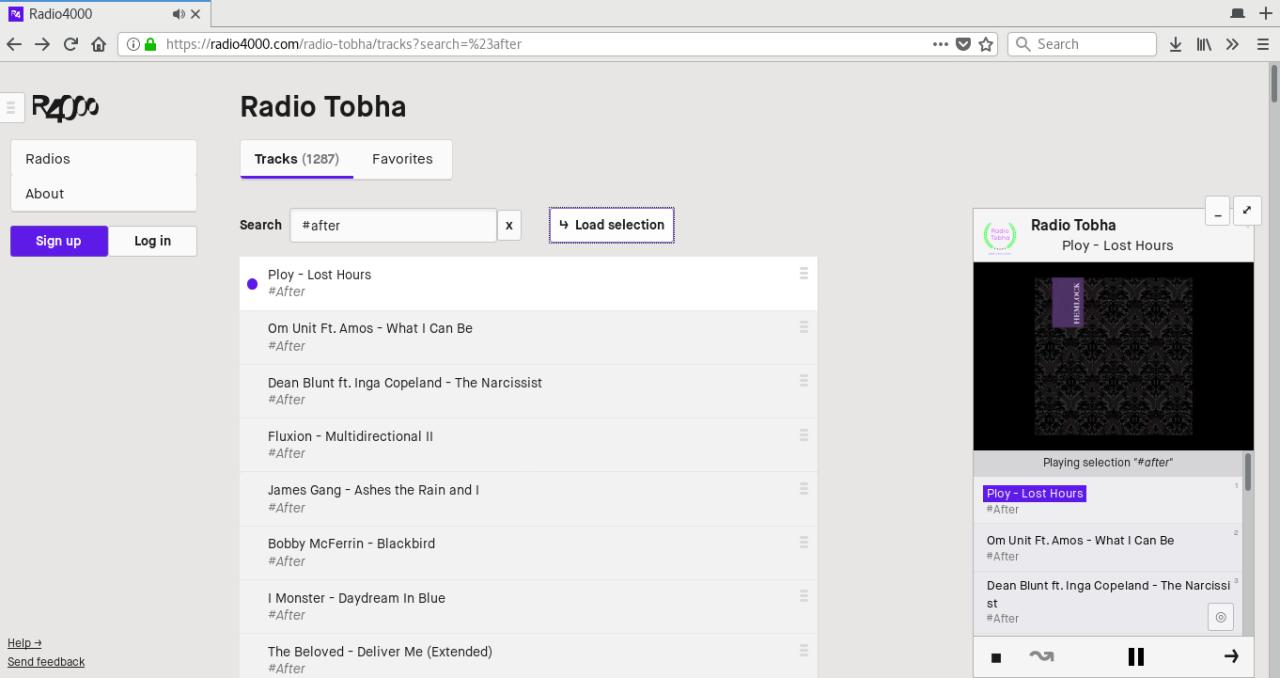
Today a new feature appears on the site, tracks search.

On top of now being able to search any radio tracks, and find the one you want to play, you can from today listen to a selection of tracks from a radio.\

Fig 1. playing selection “#after” from Radio Tobha
That’s right, you can try it now, go to any radio (of course, yours too!), and explore the list of tracks. Just search for something, and if there are any results press the “load selection” button to listen to everything in the player.

Embed a Radio4000 with an Iframe, on any website

Features & How-To

From today you can embed your Radio4000 onto any other webpage. Meet RADIO ARKOV.

How to use?

You need to add to your site the following snippet of code. You will find the right code to be copied at the bottom of every Radio4000 radio page.

You can customize the values in pixels of `width` and `height` of this `iframe` HTML element to suit your design needs. If you look closer, you will see the part in the `src` property, ending with `?slug=arkov`. Replace `arkov` for your radio slug and it will work too! Not something to remember, just fun to know.